
Welcome aboard!
Here’s what happens from the moment you sign up, to having a team learning against your subscription.
1. Create your account
Head to app.safeaihabits.com, enter your name, work email and company name and choose a password.
You’ll be taken inside the app and will start on the team admin screen with a welcome card explaining the next steps.
2. Set your region
We'll guess your region, based on your IP address and the the welcome screen asks you to confirm it.
This will drive which legislation modules your team sees (UK, US, AU or CA) and how dates appear.
3. Try the first two modules
Before you buy, you can preview the first two foundation modules on your own learner account.
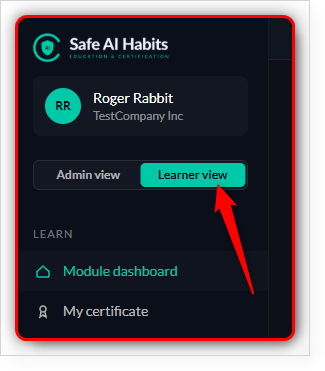
Click Learner view in the sidebar to switch over:
4. Buy licences
When you’re ready, head back to Team admin and click Buy licences.
You choose how many seats you need; checkout runs through Stripe. Each licence lasts 12 months from the day you bought it.
See the Buying licences article for the full step-by-step.