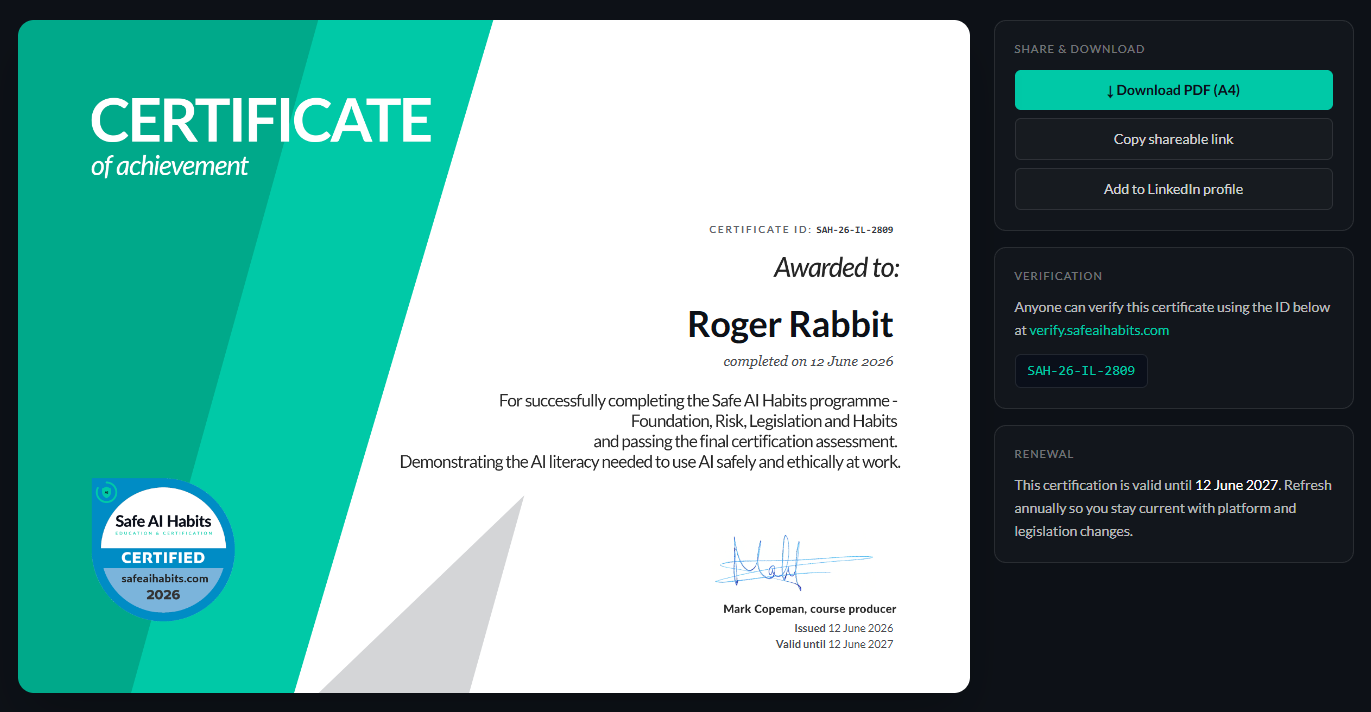
Pass the assessment and a personalised certificate is waiting for you immediately.
From the success screen
Right after you submit a passing attempt, you'll be taken to the certificate page where you can download your PDF and more.
Add to LinkedIn
Ensure you're logged into your LinkedIn profile on your default browser
Clicking the Add to LinkedIn profile button will generate a simple popup for you to save to your profile.
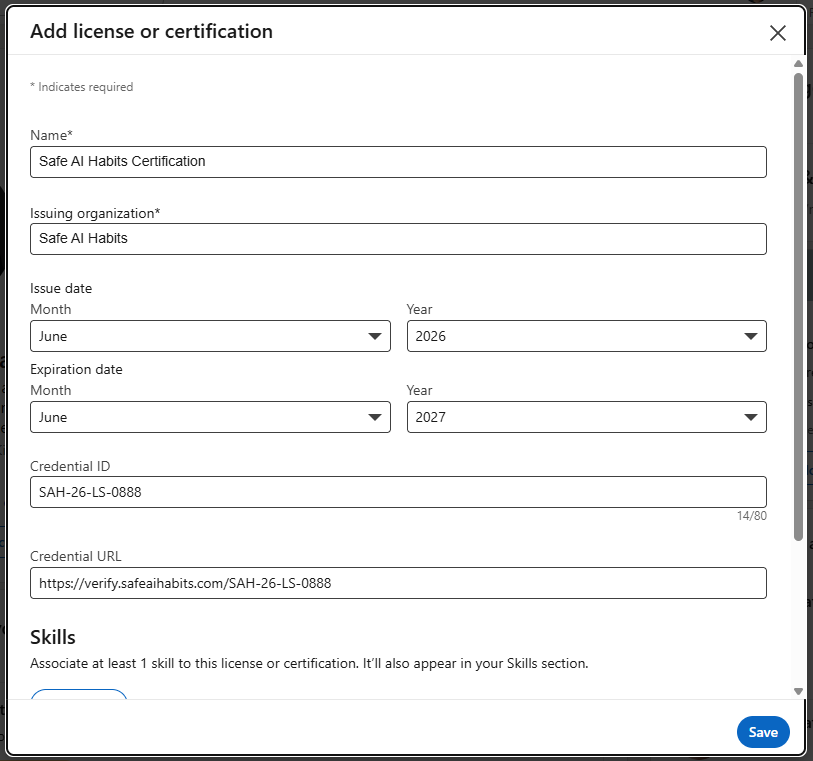
The associated skills button is optional - despite what it says on the screen 😊.
From the sidebar
Once certified, a Certificate link appears in your learner sidebar so you can come back to it any time.
Public verification
Every certificate has a unique number and a public verification link at verify.safeaihabits.com.
Anyone (a prospective employer, an auditor, a customer) can paste in the certificate number and confirm it’s genuine without needing an account.