
There are two places learners live in your workspace, and they work differently.
Your internal-use client
From day one you’ll find a client named after your company - “<Your MSP> - internal use”.
Learners here are free and unlimited: they never consume pool licences.
The only rule is that internal invites must use your company’s email domain.
Adding a client workspace
Client workspaces are a partner-plan feature - during a free trial the Add client button explains this and points you at activation.
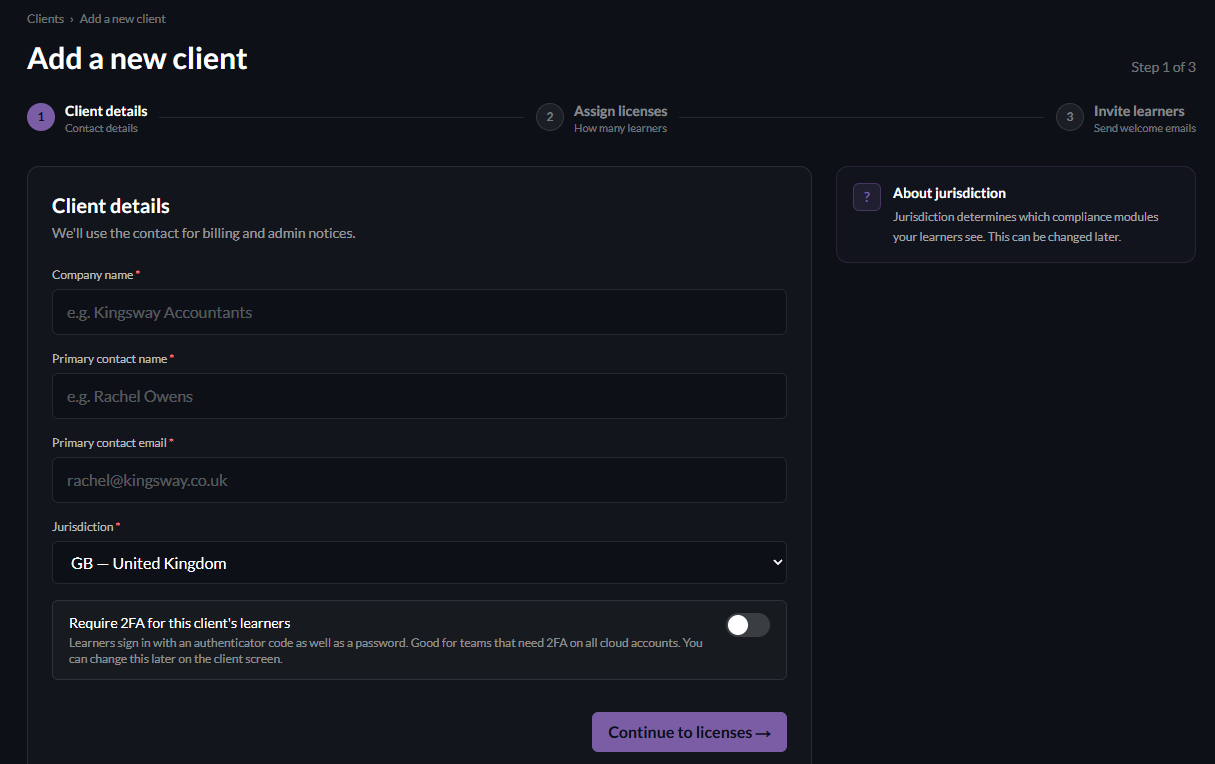
Once your plan is live, click + Add client on the dashboard and enter the company name, primary contact, and the client’s locale (UK, US, AU or CA - this drives which legislation module their learners see).
Allocating licences
On the next screen you assign licences to the client from your pool - the wizard shows how many you have left.
Allocated licences are deducted from your pool.
Inviting learners
Add learners one by one or via CSV upload (don’t change the column headings).
This step is optional at creation - you can always invite later from the client’s page.
Each learner gets an email with a personal link to set a password and start.