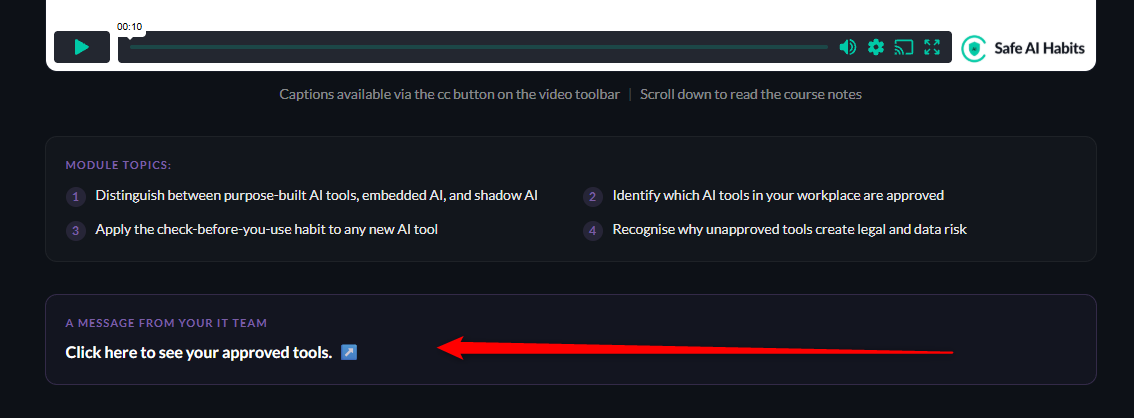
The MSP dashboard is built for the portfolio view first - you should be able to glance at it and immediately see which clients need attention.
The headlines
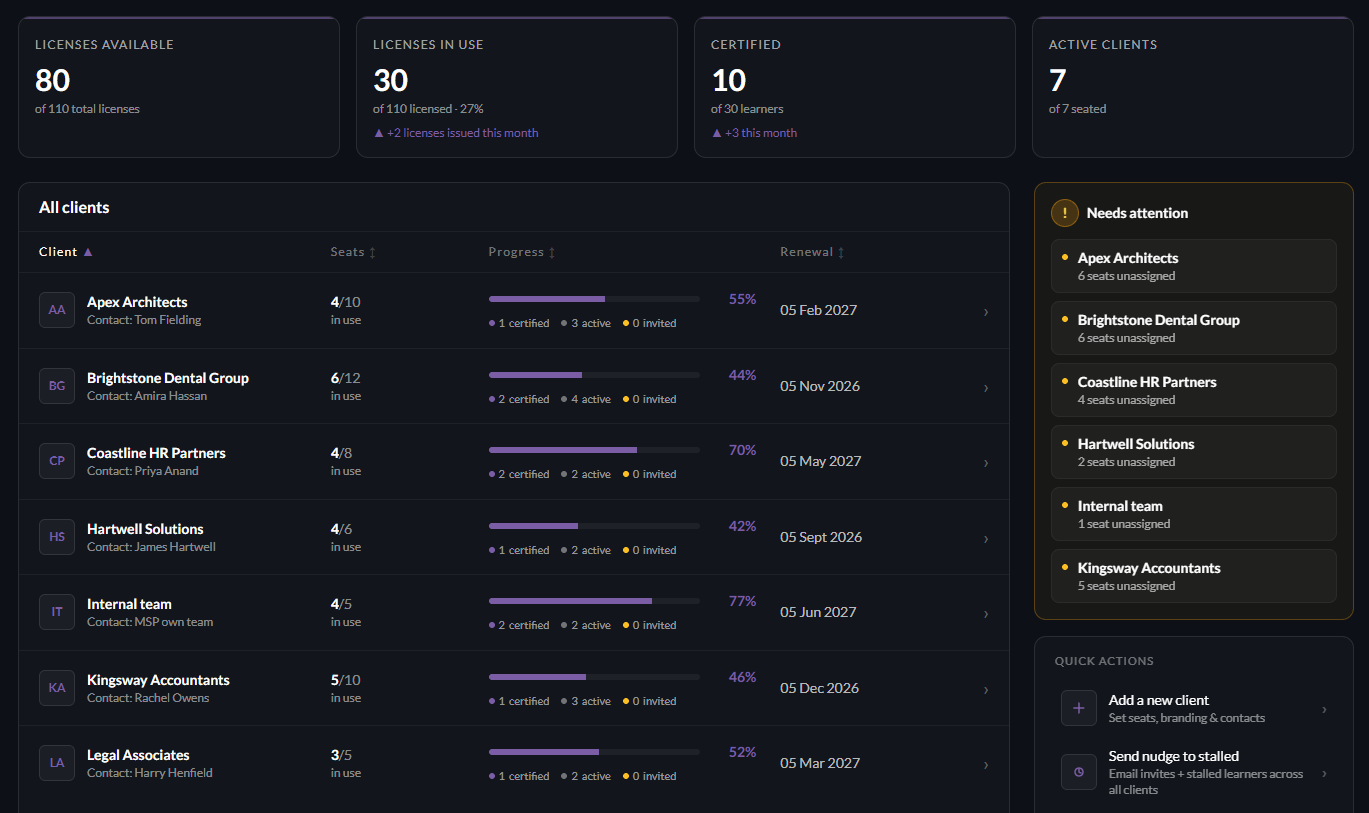
The four headlines at the top give you the key metrics.
Clicking on a client row on the dashboard below will take you to the specifics for that client..
Client-specific dashboards
Click a client name on the client dashboard (shown above) to drill into the client detail page:
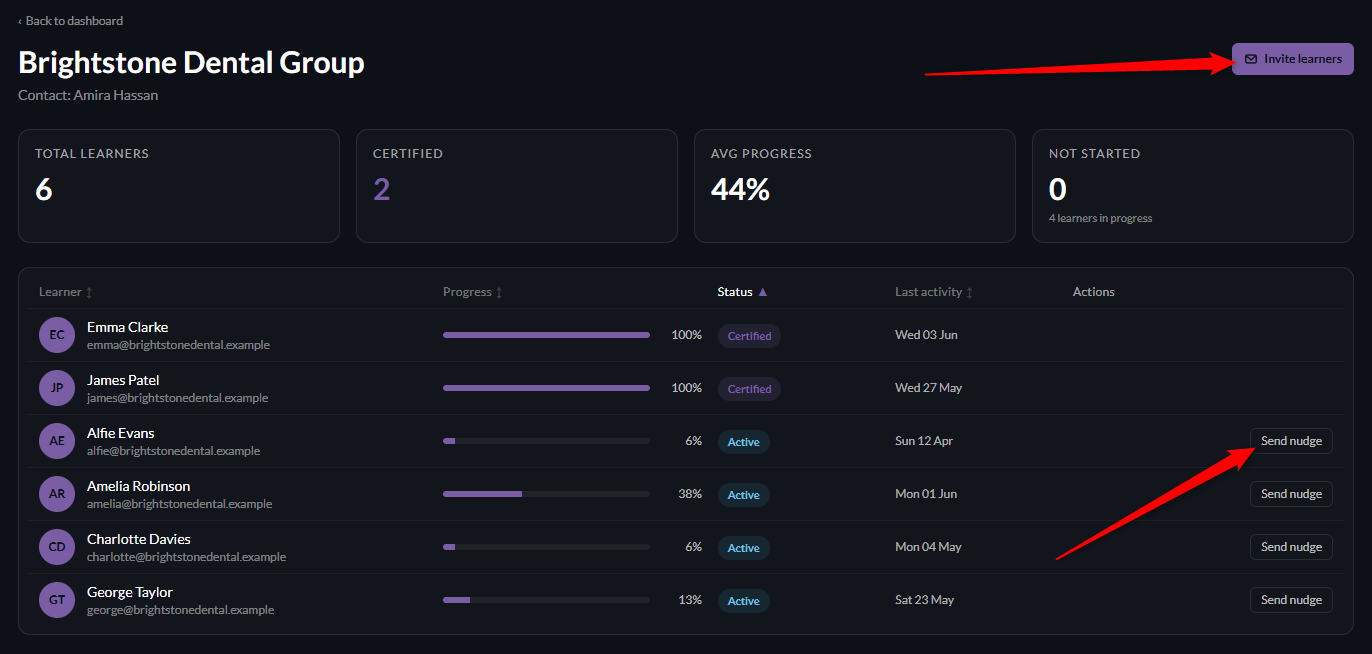
When inside a client dashboard you are able to:
1) Invite new learners to that client
2) Send nudges to stalled learners
Stalled learners are defined as anyone who hasn't shown activity on their account for the last two weeks.
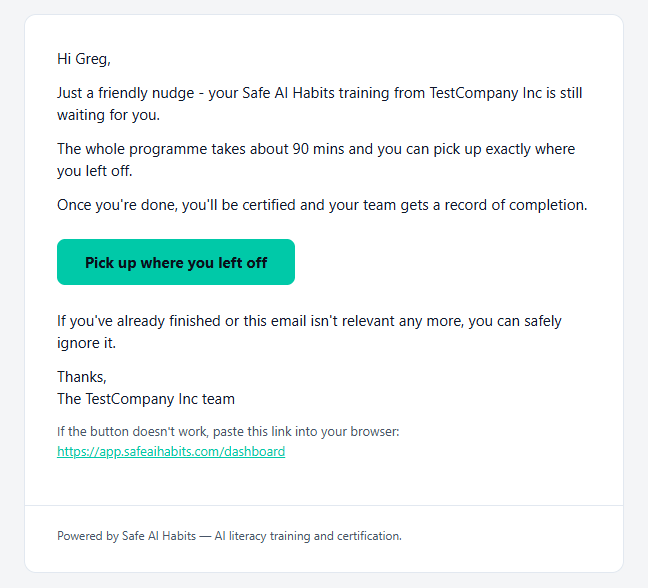
A nudge email can be configured in the Email templates section and typically looks like:
3) View individual progress on that client account
Module specific links
Below the client specific dashboard - you'll find Module specific links.
This area is entirely optional:
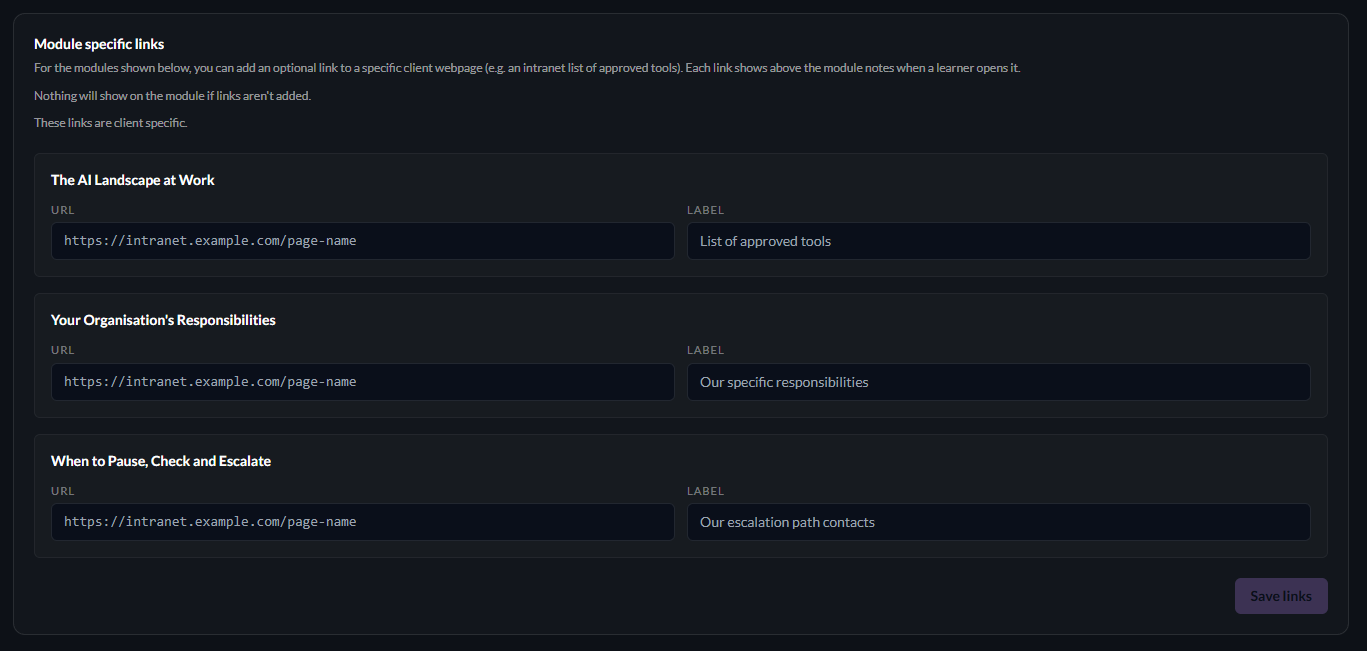
When populated with links and labels - this will display CLIENT SPECIFIC links to that client's learners on the modules shown.
Leaving these blank will not affect the user experience in any way.
Adding links will of course benefit the end user.
When being displayed - the output looks like this: