
Every account has one account owner plus any number of admins, managed from Account settings.
What the owner can do that admins can’t
Only the owner can manage the admin team itself, cancel the plan, or close the account. The owner is also our primary contact for the account.
Admins can do everything day-to-day - manage clients, invite learners, buy licences.
Inviting an admin
From Account settings, the owner enters a name and email and clicks Invite.
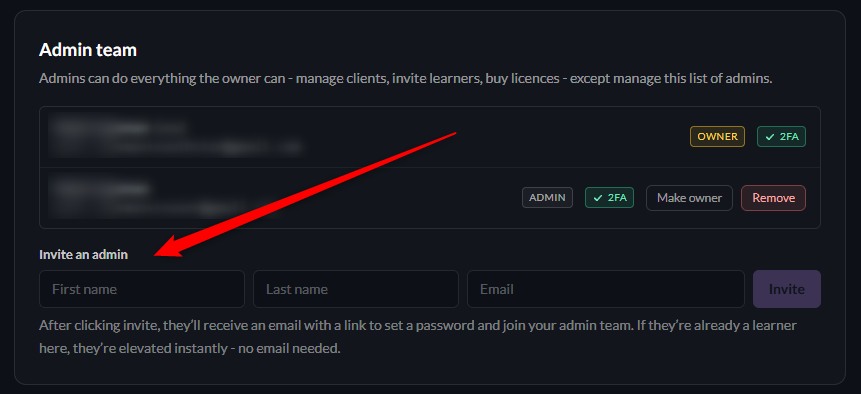
If the invitee is already a learner on your team, they’re immediately elevated to an admin. No email is sent and their training history is untouched.
Removing an admin
Removing an admin takes away their admin access only - if they’re also a learner, their learner account and history stay intact.
Transferring ownership
The account owner can hand the role to any admin with Make owner (it asks for a typed confirmation).
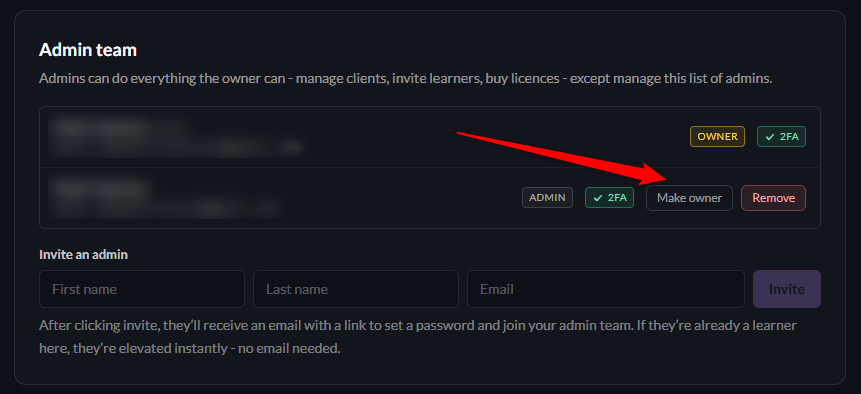
There’s always exactly one owner - transferring makes you a regular admin.