
If a client relationship has ended, or you set one up by mistake, you can delete the whole client from your account.
Where to find it
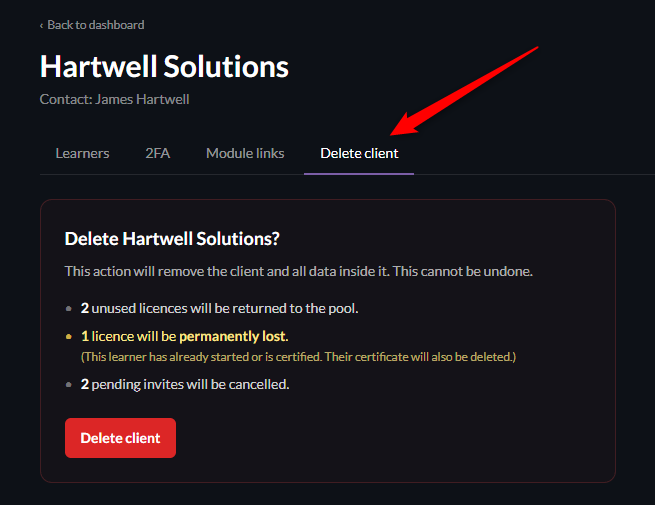
Open the client from your dashboard and go to the Delete client tab.
You'll see an explanation of exactly what will happen before you confirm anything.
What gets deleted
Deleting a client removes it completely, along with:
Every learner on that client, and their login access.
Any training progress and certificates those learners have earned.
Any pending invites that haven't yet been accepted.
This can't be undone.
What happens to licences
Unused licences are returned to your pool.
If a learner hadn't started training, their licence goes straight back into your pool, ready to use elsewhere.
Used licences are permanently lost.
If a learner had already started training or been certified, that licence will not return to your pool.
The Delete client tab shows you exactly how many licences fall into each category before you confirm, so you always know what you're about to lose.
The internal-use client
Your internal-use client - where your own team trains for free - can't be deleted. It's always part of your account.