
The AI policy module is an optional fifth section that lets your team review and accept your company’s own AI usage policy as part of the programme.
Enable the module
Head to Account settings in the sidebar.
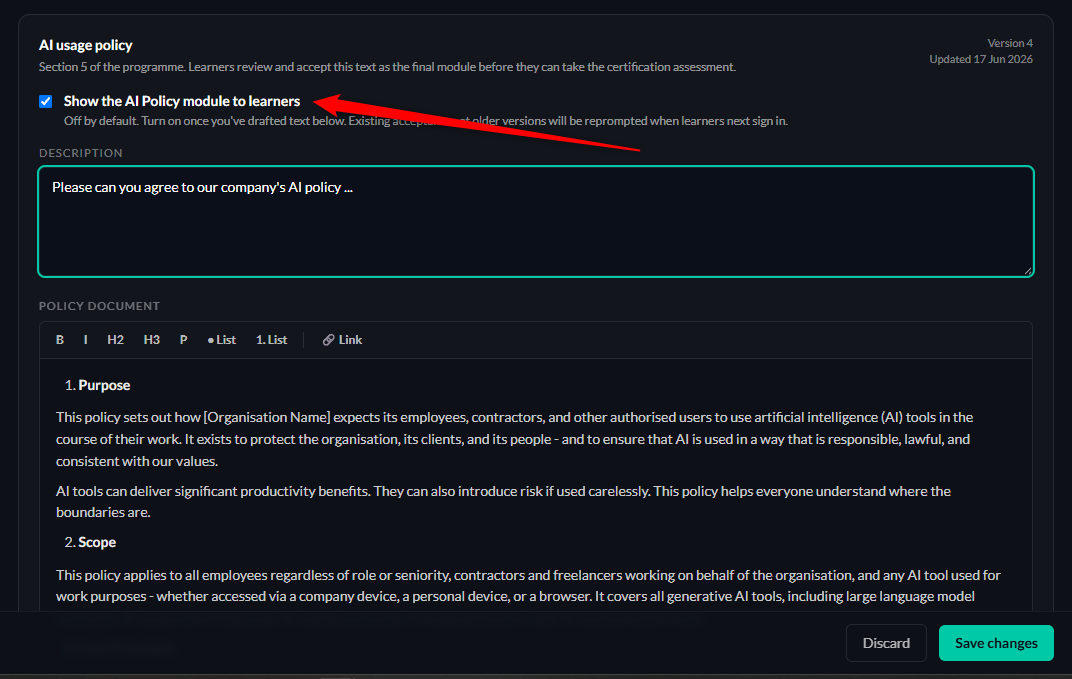
Click the checkbox for “Show the AI policy module to learners” near the top.
Switching it on adds Section 5 to every learner’s curriculum.
Drafting the policy
The description area prompts the learner to read and accept it - customise as you need to.
The policy screen has a rich text editor where you can add / paste your policy.
Headings, lists, links, basic formatting - everything you need for a clear policy document.
No need for a separate PDF.
What learners see
Learners see Section 5 in their sidebar as “Your AI policy”.
They open the page, read your policy, and click the acceptance checkbox.
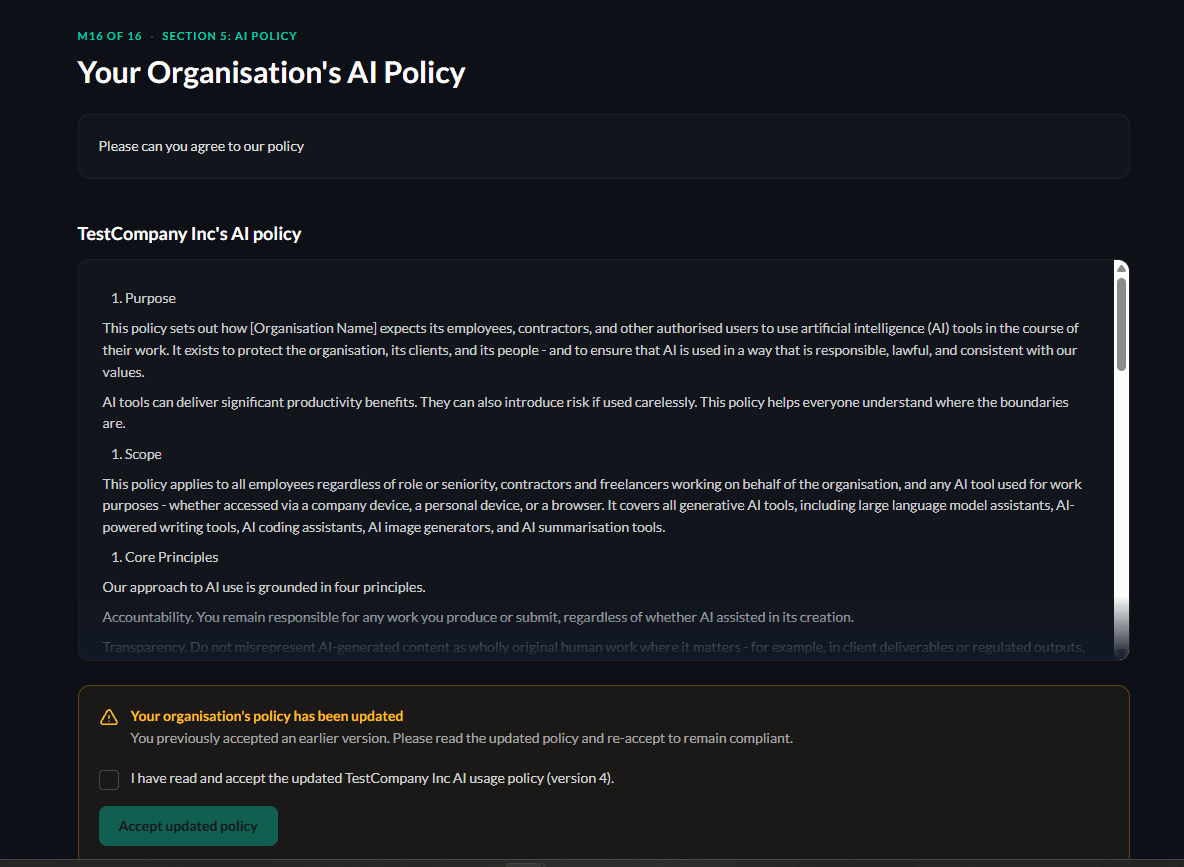
Acceptance is tracked - you can see who’s accepted (and on what version) from the policy report.